
Why You Should Use an Offline Gerber Viewer for Security
If you've ever sent Gerber files to a fabrication house, you probably didn't think twice about where those files lived before they reached the fab. But more and more engineers are starting to ask: what happens to my data when I use an online Gerber viewer? That's a question I hear often on Online Gerber Viewer, a completely client-side tool that processes everything in your browser — no uploads, no servers, no traces left behind.
The short answer is — it depends on the viewer. And that's exactly the problem.
Most PCB engineers I know have a folder somewhere called "gerber_output" that's been sitting in the same spot for years. They zip it up, send it to the fab, and forget about it. It's only when you stop and think — really think — about what's inside those files that the security picture gets uncomfortable.
A single Gerber layer file holds your entire board geometry. The copper traces, the via placements, the drill hits, the silkscreen labels, the exact stackup. That's not just a drawing — that's your intellectual property, rendered in plain text.
The Problem with Online Gerber Viewers
Here's the thing about most Gerber viewers that run on the web: they ask you to upload your files to their server. Someone else's server. Somewhere in a data center you've never seen, run by people you've never met.
Even if you trust the company behind it — and many of them are legit — you're still handing over your design files to a third party. That means:
Your files travel over the network. Even with HTTPS, the file exists in transit, exists on their server, exists in whatever cache or backup system they run. Every hop is an attack surface.
You don't know what happens after upload. Do they store your files? For how long? Do they analyze them? Do they train models on your board layouts? The privacy policy might say one thing, but you're relying on a promise.
You're exposing client IP. If you're a contract design house or a PCB assembly shop, your customers' board designs pass through your hands — and then through someone else's server. That's a liability you probably didn't mean to sign up for.
Air-gapped machines can't use them. If your workstation is offline for security reasons (and many in defense/aerospace are), an online-only viewer is useless.
What Makes This Viewer Different
Online Gerber Viewer never sees your files. Not once. Not ever.
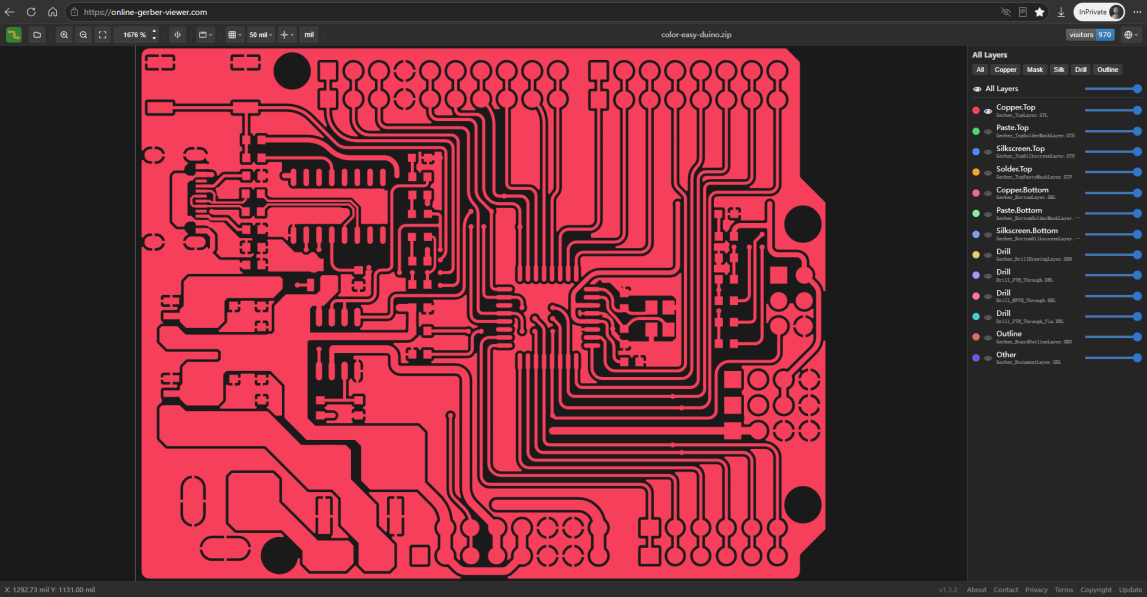
The whole thing runs in your browser — parsing, rendering, measuring, everything. When you open a file, it stays on your machine. The JavaScript library reads it locally, the canvas draws it locally, and when you close the tab, nothing was ever transmitted.
Zero upload architecture. There's no "upload" button. There's an "open file" button. The distinction matters. Your data path is: your hard drive → browser memory → your screen. That's it.
No account required. I don't ask for your email, your name, or anything else. There's no session, no cookie tracking for design data. You just open the file and work.
Works offline. Once the page loads (which is a single, self-contained HTML file), you can disconnect from the internet entirely. The viewer keeps running. This matters more than you'd think — I've had editors tell me they use it on a laptop that never connects to their factory network.
Supports the formats you actually use. RS-274X, Excellon drills, KiCad, Altium, Eagle, OrCAD, Allegro, gEDA, DipTrace file names — all handled. You don't need to convert or rename anything.
What Your Files Look Like to an Attacker
A Gerber file is, at its core, a text file. Here's what a tiny fragment looks like:
%FSLAX45Y45*%
%MOMM*%
G04 Top Copper Layer*
G36*
X2322982Y625449D02*
It doesn't look like much until you realize that every coordinate, every tool definition, every aperture macro describes something physical. Someone with access to these files can:
- Reconstruct your entire PCB layout, layer by layer
- Identify component footprints and placement
- Reverse-engineer your routing strategy
- Clone your board with near-perfect fidelity
If you're making a product — even a simple one — that Gerber output represents engineering hours, prototyping costs, and design decisions you don't want to hand out for free.
Who Actually Worries About This
I've heard from people in three camps:
Defense and aerospace contractors. Their workstations are locked down. USB transfers are logged. Network access is restricted. They need a viewer that works without touching their network boundary.
Independent hardware startups. They've been burned before by a contract manufacturer leaking their design. They're paranoid about where their files go, and frankly, they have good reason to be.
Hobbyists and open-source hardware folks. Not because they're hiding anything — but because they believe in local-first tools and don't see why a file viewer needs network access to do its job.
The Bottom Line
If you're working with PCB files, you should use whatever tool helps you get the job done. But if security matters to you — and it probably matters more than you realize — a viewer that processes everything locally is the only sane choice. Head over to Online Gerber Viewer and try it — your files never leave your machine.
There's no need to trade security for functionality. The viewer handles multiple file formats, supports drag-and-drop, renders accurate geometry, includes measurement tools, and works at scale. It just happens to do all of that without ever touching a network cable.
Open your Gerber files, look at your board, and keep your data where it belongs.
Author: pcbtool.net | Date: 2026-05-28