
Top 10 Online Gerber Viewers for 2026
Every hardware engineer knows the drill: you get a batch of Gerber files and just want to quickly check if the traces look right. But there's no viewer installed on your machine. Search online, find a dozen so-called "online viewers", click through them — only to hit registration walls, upload waits, or dead pages. Half a day gone.
I spent several days going through every online Gerber viewer I could find. Not just opening files — actually uploading, dragging layers, taking measurements, switching views, simulating real workflow. This comparison is long, but every bit of it is based on hands-on testing.
Jump to
- Jump to
- Scoring Criteria
- 1. Online Gerber Viewer
- 2. AIEMA Online 3D Gerber Viewer
- 3. Gerber Tools
- 4. GerbTrace
- 5. OnlineGerberViewer
- 6. Tracespace Viewer
- 7. Salitronic Gerber Analyzer
- 8. JLCPCB DFM
- 9. NextPCB Online Gerber Viewer
- 10. Ucamco Gerber Viewer
- 11. gerber-viewer.com
- 12. Altium Viewer
- Comparison Table
- Summary
Scoring Criteria
Each tool is rated across 9 dimensions, out of 5 stars:
| Dimension | What It Measures |
|---|---|
| UI Design | Visual quality, color scheme, button layout |
| Operation | Zoom, pan, layer switching smoothness |
| Zoom/Pan Performance | How well it handles complex boards |
| Ease of Use | Learning curve, intuitive or not |
| Load Speed | File upload and rendering speed |
| File Handling | Upload to server or local processing |
| Login Required | Whether registration is needed |
| Free to Use | Any hidden paywalls or limits |
| Feature Richness | Extra capabilities beyond basic viewing |
5 stars = excellent, would use daily. 1 star = closed it after one try.
1. Online Gerber Viewer
URL: https://online-gerber-viewer.com
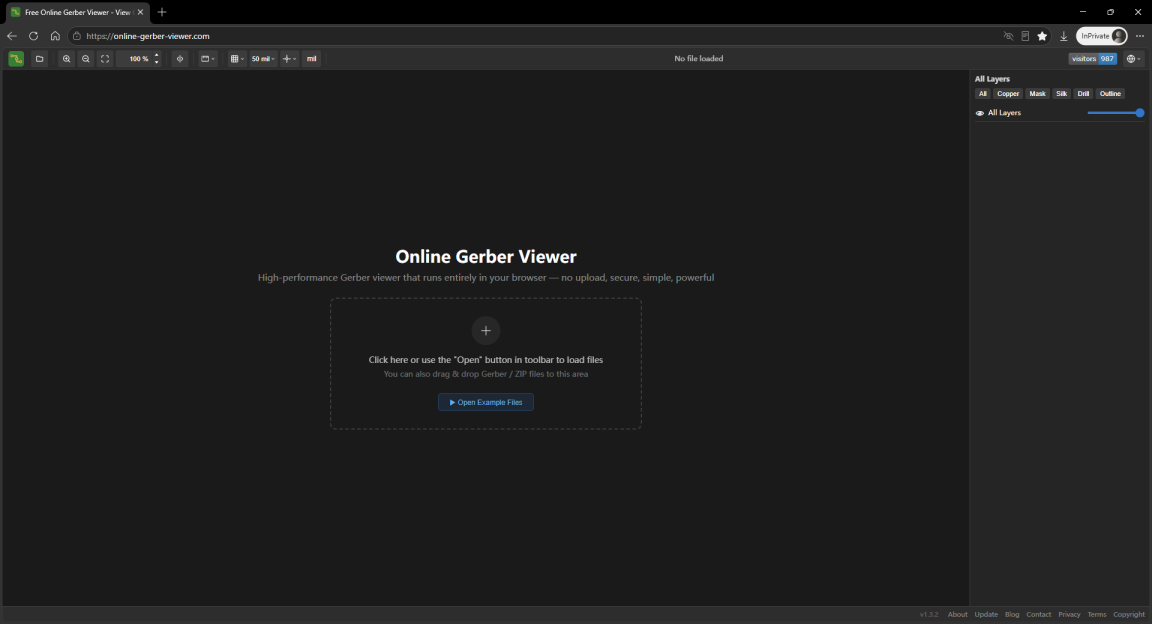
The landing page IS the viewer. Pure client-side architecture — parsing and rendering happen entirely in the browser, no files uploaded to any server. Supports 20+ languages for a global audience. Handles RS-274X and Excellon drill files, auto-detects layer naming from KiCad, Altium, Eagle, OrCAD, Allegro, gEDA, DipTrace and more. Drag-and-drop ZIP archives directly, auto-extracts and filters macOS __MACOSX clutter. Multi-layer overlay with independent visibility, opacity control, and type-based filtering. Built-in measurement tool with single and continuous modes, real-time distance and angle preview during drag. Grid overlay with none/dots/lines/crosshair modes, origin settable to Gerber origin or bounding-box corner. No registration, no login — open the page and go. The entire page is a single-file HTML that works offline once loaded.

Verdict: Broad feature coverage, standout operation smoothness among peers. Load speed and zoom/pan performance lead the pack. The no-upload architecture carries real value in certain scenarios. If you just need to view files and take measurements quickly without extra frills, this is the most hassle-free option. Its changelog shows active maintenance with frequent feature additions and bug fixes.
| Dimension | Rating |
|---|---|
| UI | ★★★★☆ |
| Operation | ★★★★★ |
| Zoom/Pan | ★★★★★ |
| Ease of Use | ★★★★★ |
| Load Speed | ★★★★★ |
| File Handling | Local, no upload |
| Login | No |
| Free | Yes |
| Features | ★★★★☆ |
2. AIEMA Online 3D Gerber Viewer
URL: https://www.aiema.com/online-pcb-3d-gerber-viewer
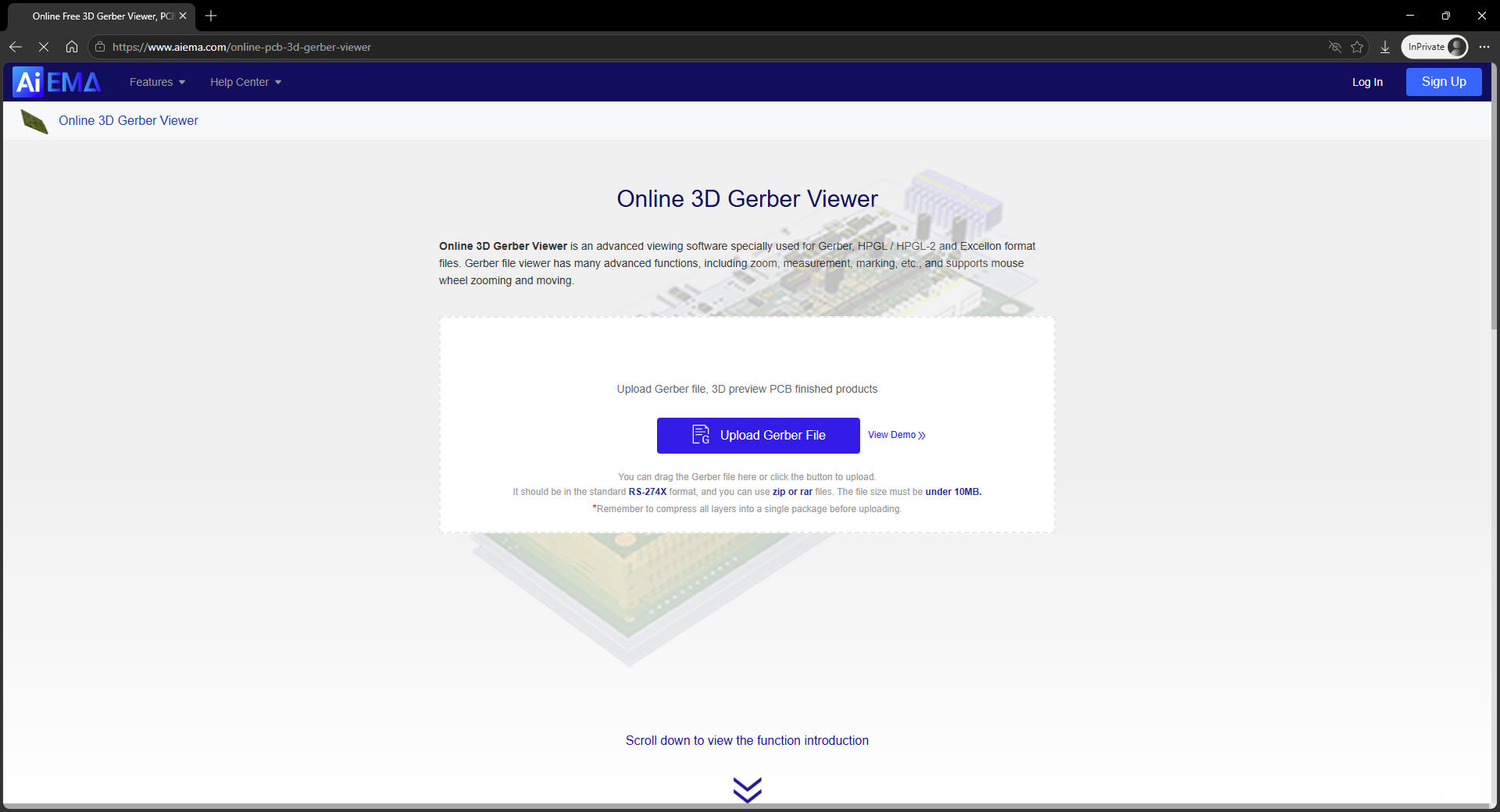
Its standout feature is 3D view — upload Gerber files and get an auto-generated 3D PCB model you can rotate and zoom. Great for showing board designs to clients. 3D model generation is reasonably fast and drag interaction is smooth. However, 2D mode is less polished — layer controls are basic, no independent toggling or opacity. Files are uploaded to the server for processing. Without login, 2D viewing, zoom, and measurement are restricted.
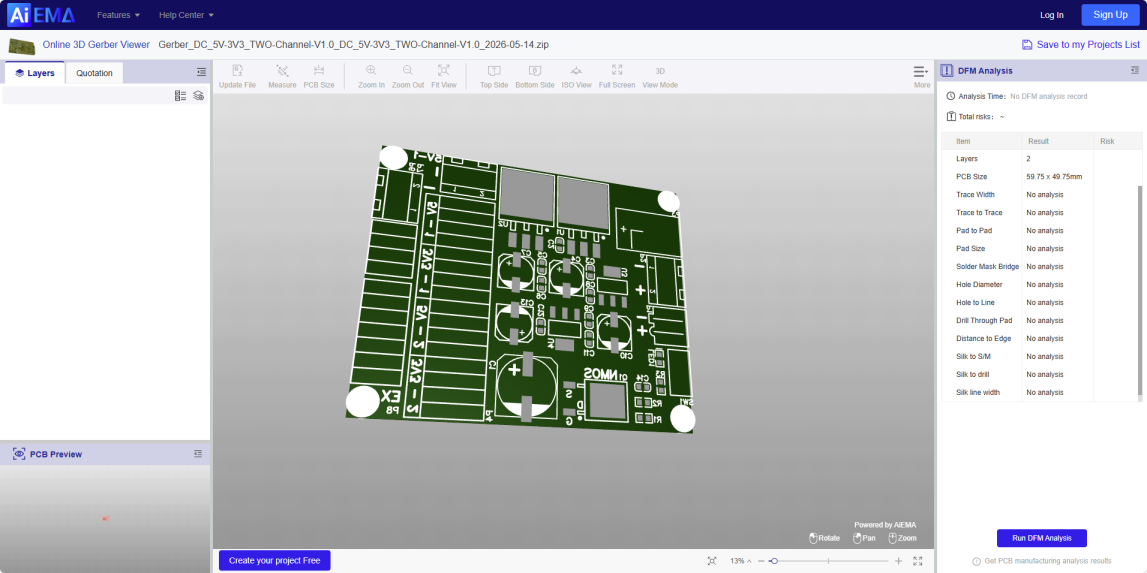
Verdict: 3D preview is its killer differentiator. Worth trying if you frequently present board designs. 2D is not its focus and falls short for detailed inspection.
| Dimension | Rating |
|---|---|
| UI | ★★★★☆ |
| Operation | ★★★★☆ |
| Zoom/Pan | ★★★☆☆ |
| Ease of Use | ★★★★☆ |
| Load Speed | ★★★★☆ |
| File Handling | Upload to server |
| Login | No, but features limited without login |
| Free | Yes |
| Features | ★★★☆☆ |
3. Gerber Tools
URL: https://gerber.tools
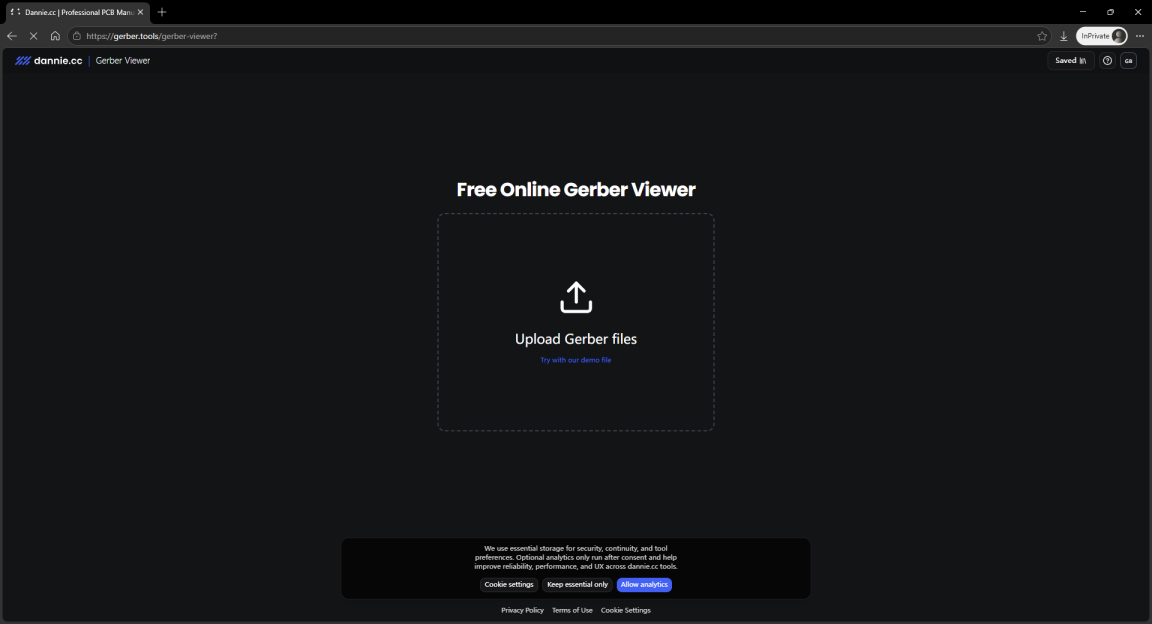
Straightforward, no-frills interface. Landing page redirects straight to the viewer. Gerber format support is decent, file loading speed is acceptable. Operation feels stiff — zoom and pan aren't very responsive and occasionally lag at higher magnifications. Layer management offers basic show/hide but limited fine-tuning. No registration required. Supports one-click ordering, though it errored out during testing.

Verdict: A middle-of-the-road tool that covers basic viewing needs, but operation feel and performance have room for improvement. Fine for occasional use; frequent users may find it lacking.
| Dimension | Rating |
|---|---|
| UI | ★★★☆☆ |
| Operation | ★★★☆☆ |
| Zoom/Pan | ★★★☆☆ |
| Ease of Use | ★★★★☆ |
| Load Speed | ★★★☆☆ |
| File Handling | Local, no upload |
| Login | No |
| Free | Yes |
| Features | ★★★☆☆ |
4. GerbTrace
URL: https://www.gerbtrace.com

Gerbtrace combines a capable Gerber viewer with a full manufacturing data preparation suite. Import design files, prepare production data, and hand off to the factory — all in one platform. Feature-rich: supports panelization, ordering, and even Gerber editing. Layer controls are basic show/hide with no opacity adjustment. Built for teams. Requires upload and login. Gerber viewing is just one feature among many.
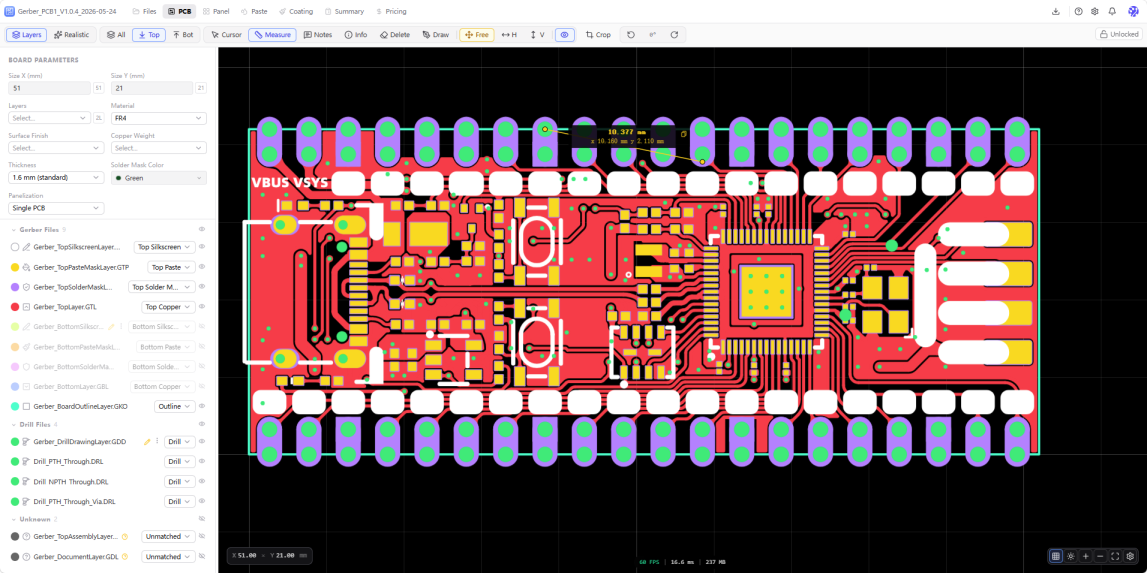
Verdict: Using it purely as a viewer misses the point — it's designed for PCB manufacturing workflows. If you're in PCB fabrication engineering, its analysis capabilities are far more useful than a simple viewer. Clear target audience; if that's not you, skip it.
| Dimension | Rating |
|---|---|
| UI | ★★★★☆ |
| Operation | ★★★☆☆ |
| Zoom/Pan | ★★★★☆ |
| Ease of Use | ★★★★☆ |
| Load Speed | ★★★★☆ |
| File Handling | Upload to server |
| Login | Yes |
| Free | Yes, team features require payment |
| Features | ★★★★☆ |
5. OnlineGerberViewer
URL: https://onlinegerberviewer.com
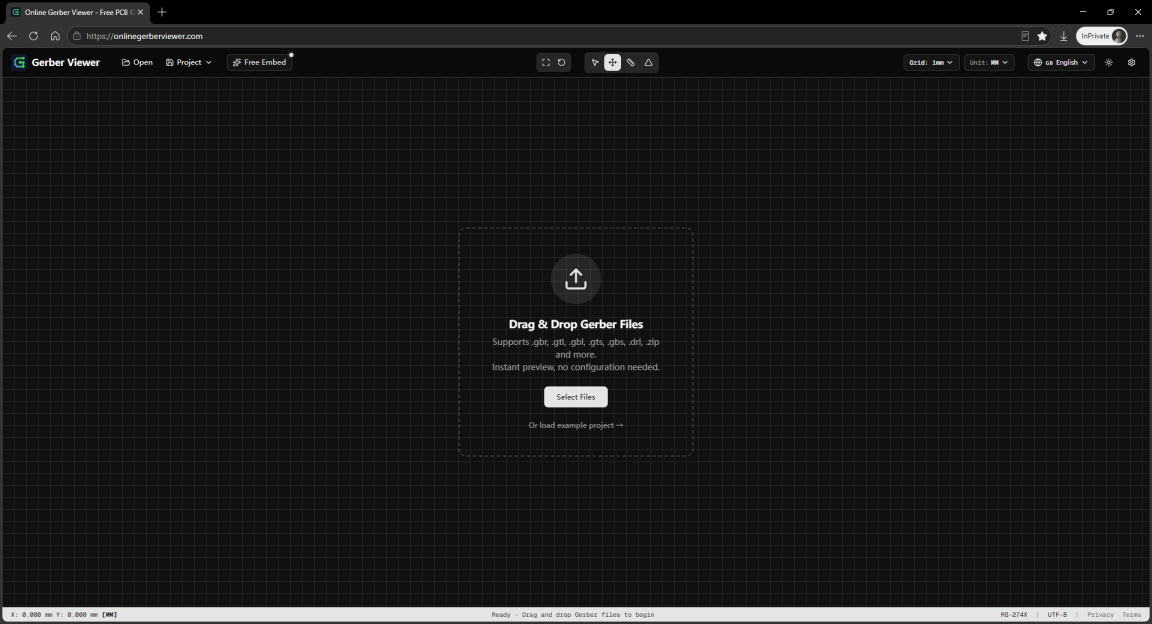
Looks similar to tool #1 but is a completely different product. View and analyze Gerber files instantly in the browser — no install, no registration. Supports RS-274X, drill files, and ZIP uploads. Offers measurement tools, grid settings, image export, and even an embeddable viewer for other sites. However, zoom is sluggish and only centers on the top-left corner, making for a poor experience.

Verdict: Decent UI but poor performance. Usable for small files, not recommended for complex boards.
| Dimension | Rating |
|---|---|
| UI | ★★★☆☆ |
| Operation | ★★★☆☆ |
| Zoom/Pan | ★★★☆☆ |
| Ease of Use | ★★★☆☆ |
| Load Speed | ★★★★☆ |
| File Handling | Local, no upload |
| Login | No |
| Free | Yes |
| Features | ★★☆☆☆ |
6. Tracespace Viewer
URL: https://tracespace.io/view/

Tracespace is a well-known open-source Gerber parsing project that powers many other tools. Its online version is ultra-lightweight — drag and drop a file and you're done, zero learning curve. But that simplicity comes at a cost: no measurement tools, layers are only show/hide, no area zoom. Large files perform poorly on load and zoom. Offers simulation and PCB display modes, multiple color themes, and the unique ability to load files from URLs.
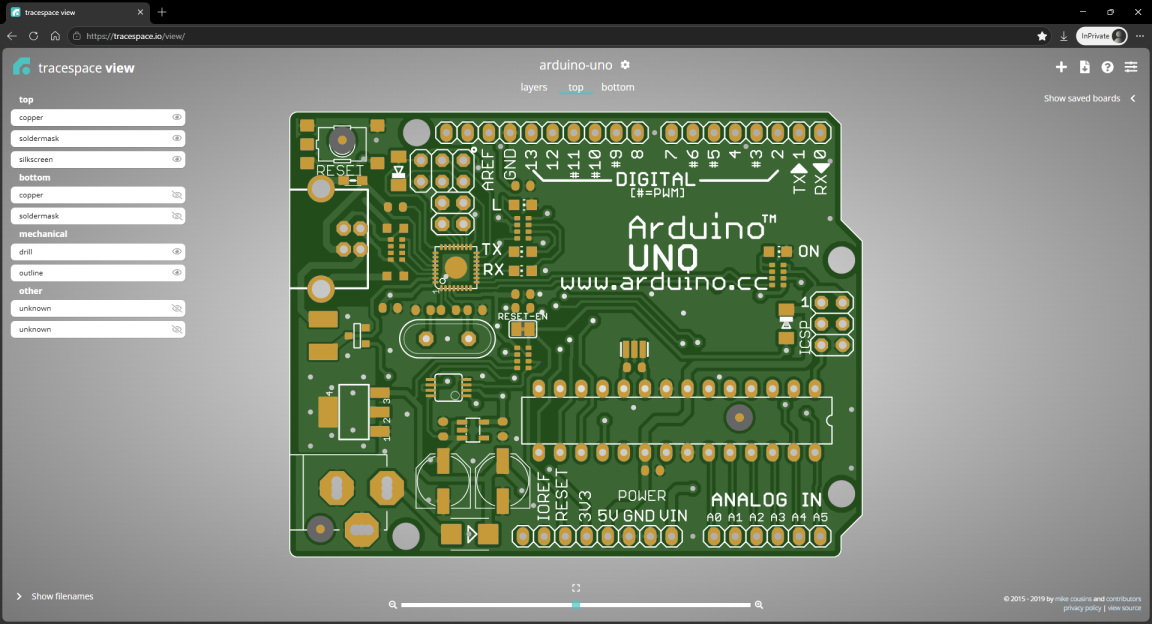
Verdict: Minimalism at its finest — zero onboarding friction. But features are genuinely sparse. The moment you need something like measurement, it can't deliver.
| Dimension | Rating |
|---|---|
| UI | ★★★☆☆ |
| Operation | ★★★☆☆ |
| Zoom/Pan | ★★★☆☆ |
| Ease of Use | ★★★★★ |
| Load Speed | ★★★★☆ |
| File Handling | Local, no upload |
| Login | No |
| Free | Yes |
| Features | ★★☆☆☆ |
7. Salitronic Gerber Analyzer
URL: https://salitronic.com/gerber_analyzer/
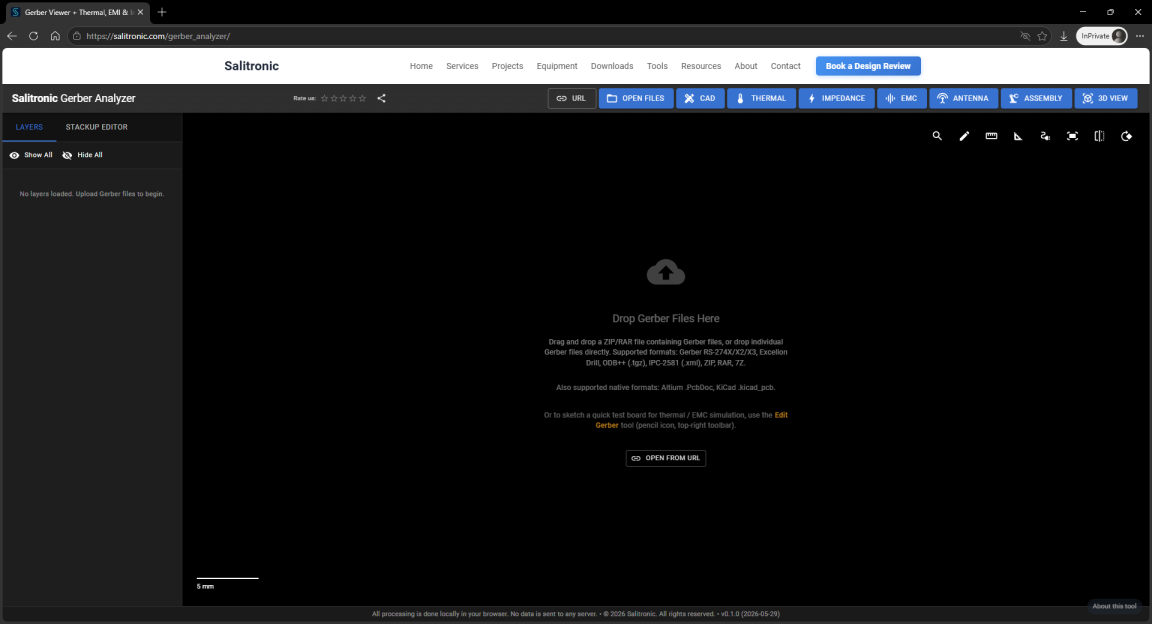
Where other tools aim to "show clearly", this one aims to "analyze thoroughly". Upload a file and get extensive technical data: total line count, aperture distribution, per-layer data volume, minimum trace width, and more. For process engineers and quality control, this data is genuinely useful. But the "viewing" experience itself is mediocre — low render quality, noticeable zoom/pan lag, and dated interface design.
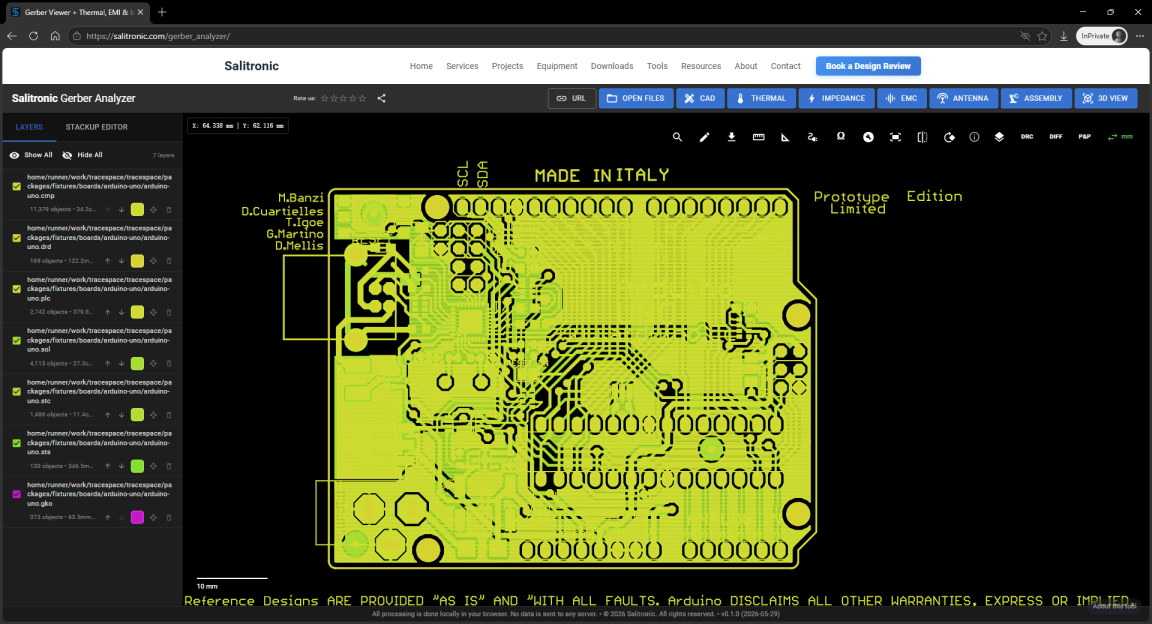
Verdict: It's more of an "analyzer" than a "viewer". If you need technical metrics over visual polish, it's one of the most useful tools here. But the overall experience is sluggish — upload, render, and analysis are all slow.
| Dimension | Rating |
|---|---|
| UI | ★★☆☆☆ |
| Operation | ★★☆☆☆ |
| Zoom/Pan | ★★☆☆☆ |
| Ease of Use | ★★☆☆☆ |
| Load Speed | ★★★☆☆ |
| File Handling | Upload to server |
| Login | No |
| Free | Yes |
| Features | ★★★★☆ |
8. JLCPCB DFM
URL: https://jlcdfm.com
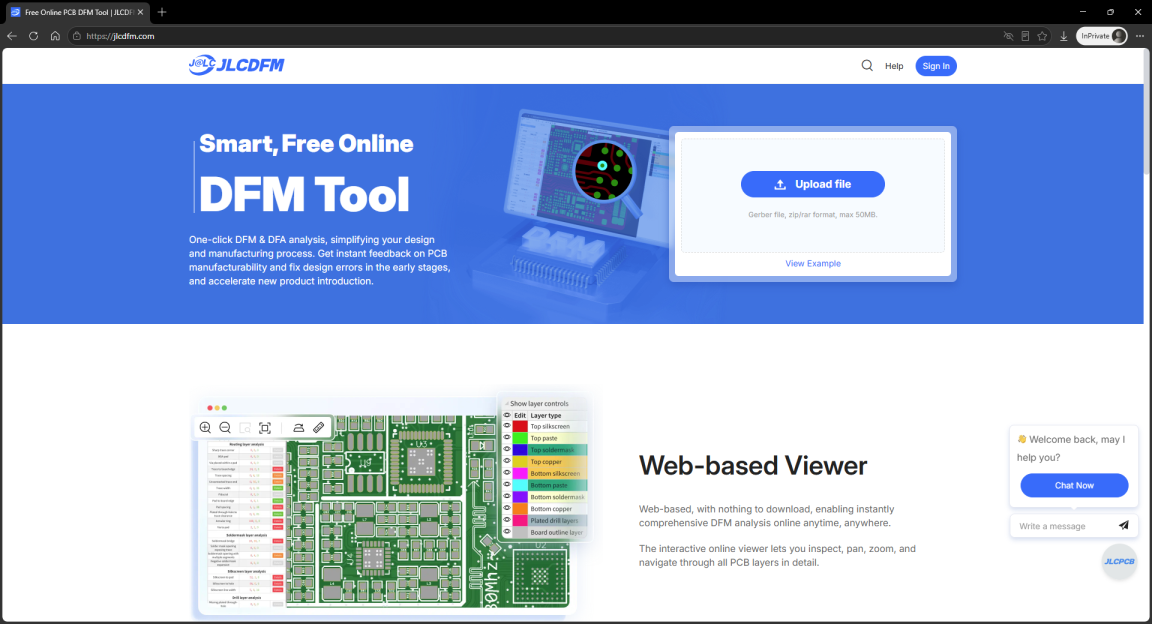
JLCPCB's online DFM check tool. Core function is verifying your design against their manufacturing capabilities: trace width, clearances, drill sizes, solder mask dams, and more. Extremely practical if you're prototyping at JLCPCB — catch issues before placing an order. The viewer itself is decent but secondary to DFM. Supports four display modes: filled, 2D, outline, and 3D. Requires file upload to JLCPCB's servers and registration.
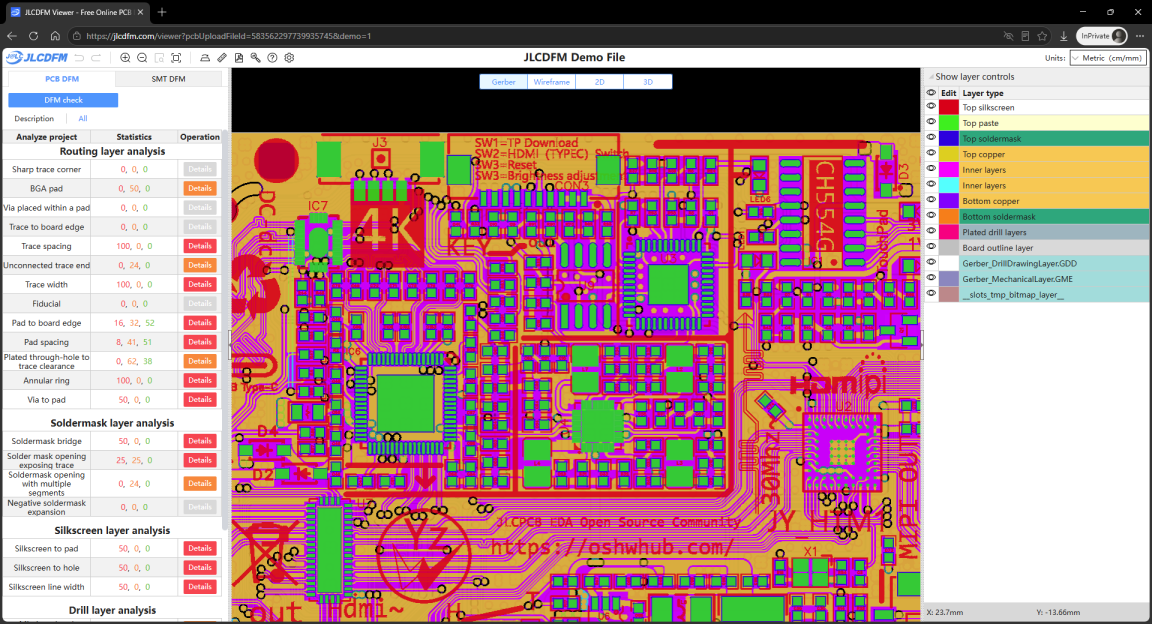
Verdict: Essential if you manufacture at JLCPCB — run a DFM check before ordering and save yourself headaches. If you don't use JLCPCB, it's not the best choice for pure viewing. That said, its rendering performance is impressive — large boards stay smooth during zoom and pan.
| Dimension | Rating |
|---|---|
| UI | ★★★★☆ |
| Operation | ★★★☆☆ |
| Zoom/Pan | ★★★★★ |
| Ease of Use | ★★★☆☆ |
| Load Speed | ★★★★☆ |
| File Handling | Upload to server |
| Login | Required |
| Free | Yes |
| Features | ★★★★☆ |
9. NextPCB Online Gerber Viewer
URL: https://www.nextpcb.com/free-online-gerber-viewer.html
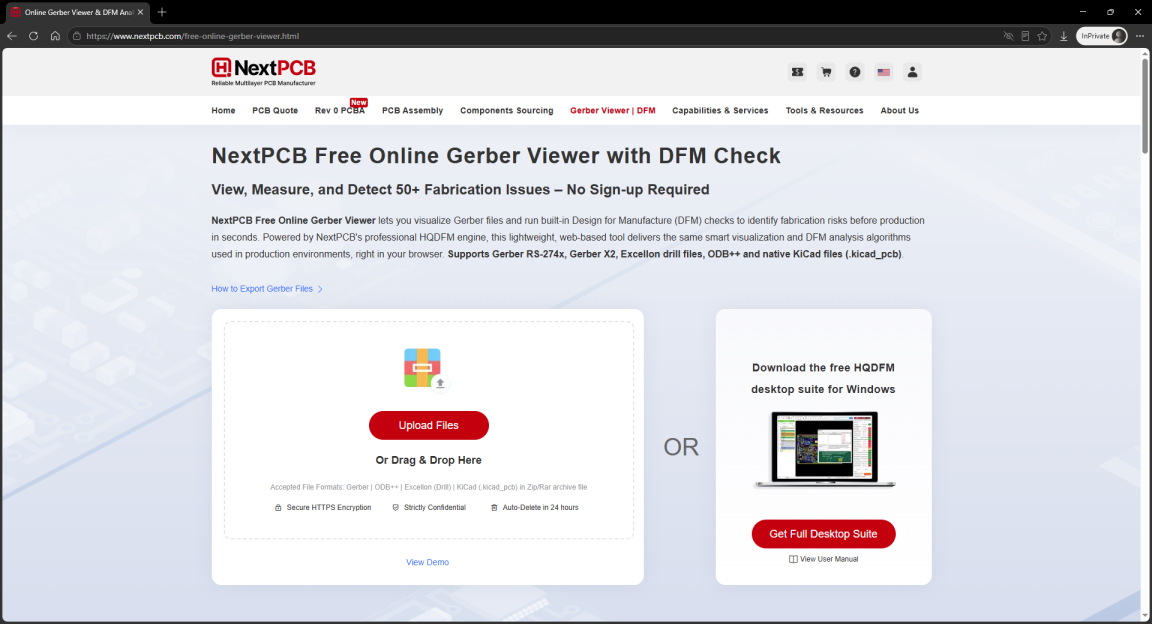
NextPCB's online prototyping tool. Clean modern dark-theme interface with well-organized layer controls — each layer can be independently toggled and adjusted. Loading speed for common Gerber formats is decent. Feature design revolves around "help users confirm files before ordering". The viewer itself is well-executed, but if you want to inspect designs independently of any manufacturer, it's not ideal. Registration required.
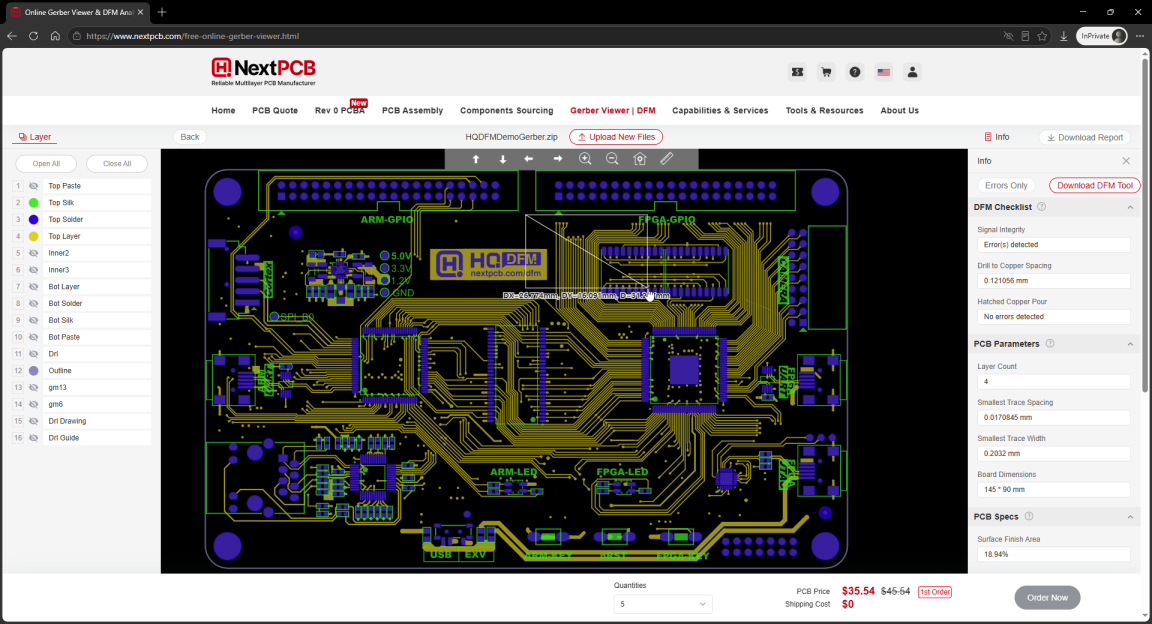
Verdict: Among manufacturer-provided tools, this one has the best viewing experience. Interface and operation feel modern. But the registration requirement and vendor lock-in limit its appeal.
| Dimension | Rating |
|---|---|
| UI | ★★★★☆ |
| Operation | ★★★★☆ |
| Zoom/Pan | ★★★★☆ |
| Ease of Use | ★★★☆☆ |
| Load Speed | ★★★★☆ |
| File Handling | Upload to server |
| Login | Required |
| Free | Yes |
| Features | ★★★★☆ |
10. Ucamco Gerber Viewer
URL: https://gerber-viewer.ucamco.com
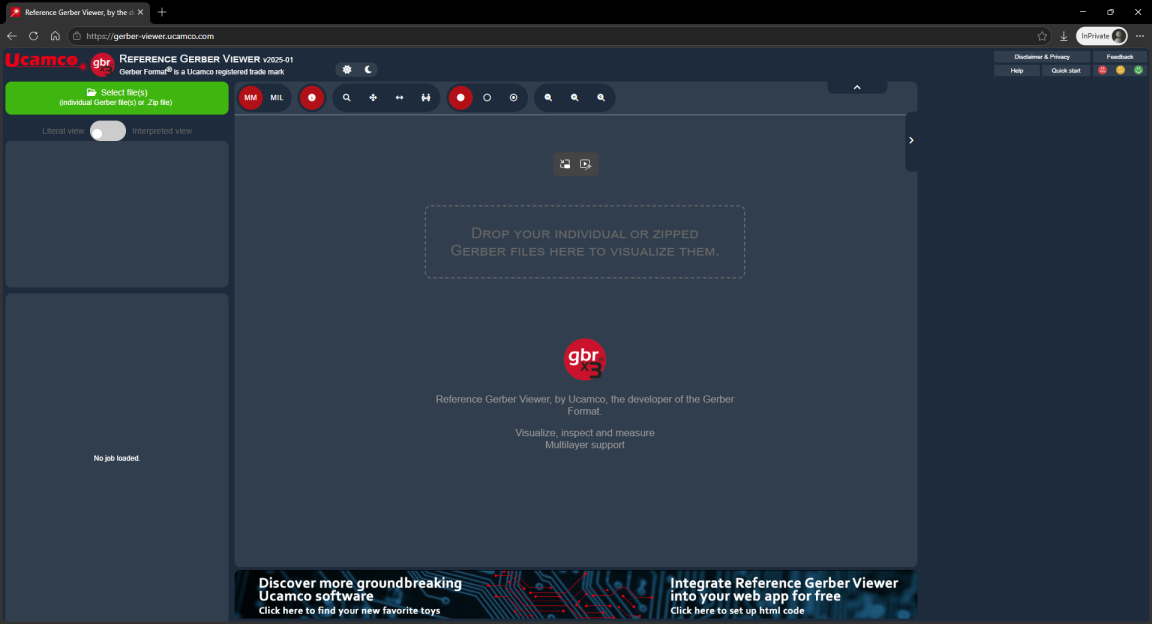
Ucamco maintains the Gerber RS-274X standard itself. A tool from the standards body — format compatibility is flawless: if your file is standard RS-274X, it will parse correctly. Feature set is comprehensive: measurement, layer control, DRC checks. However, files are uploaded to the server, so larger boards take time to load. Zoom is slow and triggers re-render on every action. Supports three display modes: filled, vector, and outline. Clicking elements shows their properties. A banner ad at the bottom blocks part of the view.

Verdict: Format compatibility is its strongest asset — from the standard-setter, no parsing surprises. But upload wait times and a steep learning curve make it better suited for patient professional users.
| Dimension | Rating |
|---|---|
| UI | ★★★☆☆ |
| Operation | ★★★☆☆ |
| Zoom/Pan | ★★☆☆☆ |
| Ease of Use | ★★☆☆☆ |
| Load Speed | ★★★☆☆ |
| File Handling | Upload to server |
| Login | No |
| Free | Yes |
| Features | ★★★★☆ |
11. gerber-viewer.com
URL: https://www.gerber-viewer.com
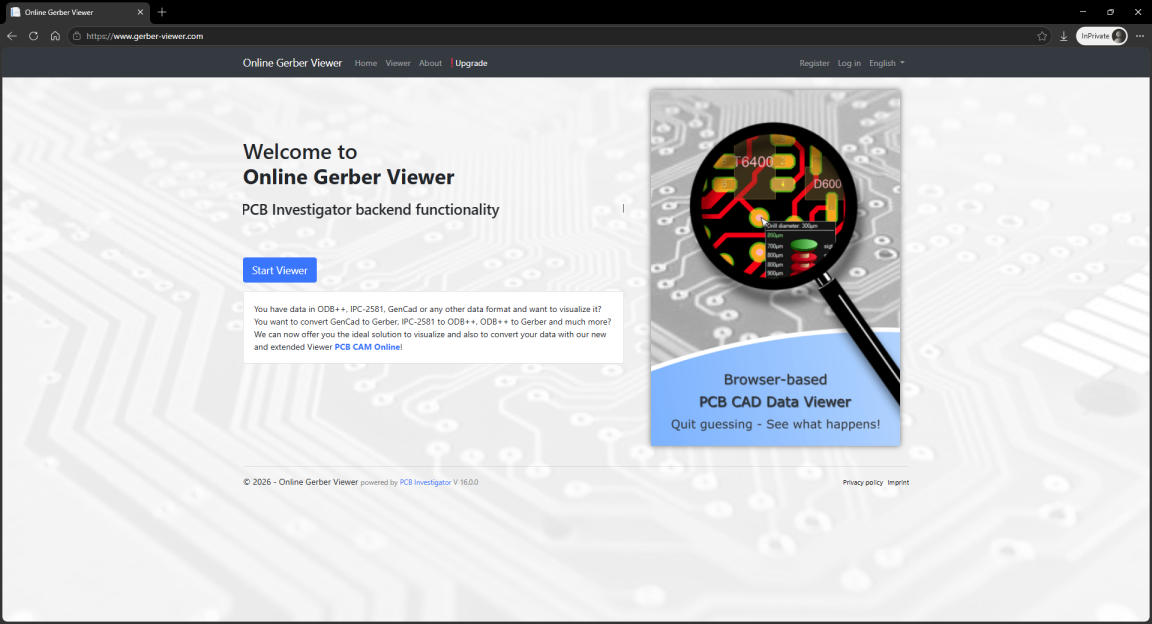
Requires login. The interface is overly basic. Supports uploading Gerber files for browser-based rendering — no software install needed. But the registration step alone blocks casual use. Files are uploaded to the server; wait times are acceptable. No standout features — it has what you'd expect and nothing more. The viewer UI and interaction are mediocre, zoom and pan trigger re-rendering and feel sluggish.
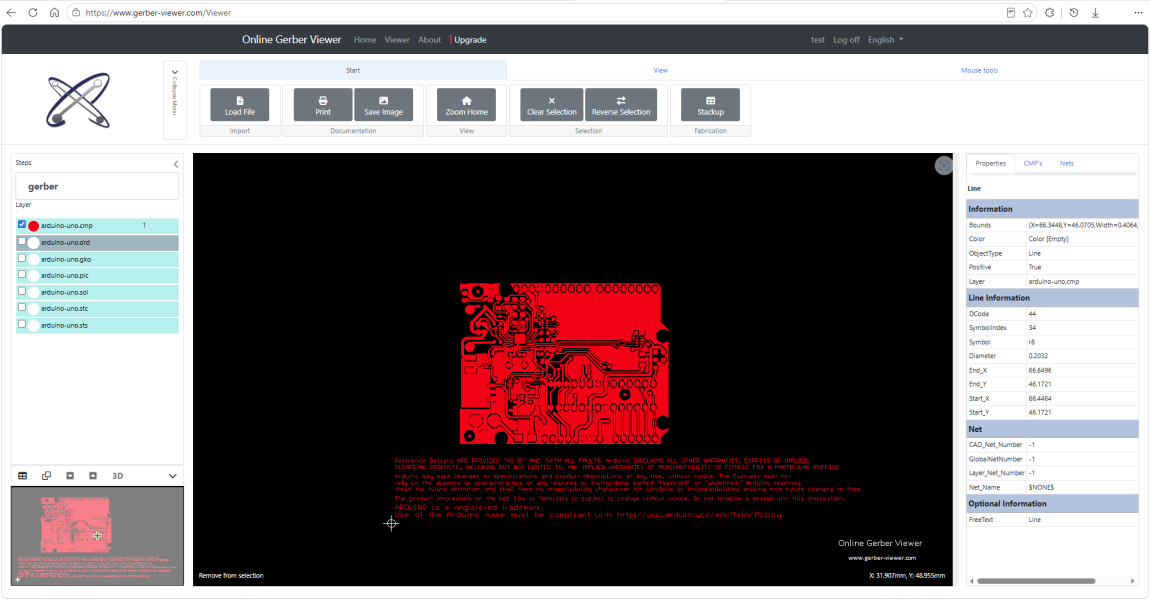
Verdict: It works but isn't pleasant to use. The registration requirement kills convenience. If you already have an account, it's a passable option. If not, the sign-up process itself may deter you — the author tried registering multiple times and failed, eventually getting in through a Microsoft account.
| Dimension | Rating |
|---|---|
| UI | ★☆☆☆☆ |
| Operation | ★☆☆☆☆ |
| Zoom/Pan | ★★☆☆☆ |
| Ease of Use | ★★☆☆☆ |
| Load Speed | ★★☆☆☆ |
| File Handling | Upload to server |
| Login | Required |
| Free | Yes |
| Features | ★★☆☆☆ |
12. Altium Viewer
URL: https://www.altium.com/viewer/
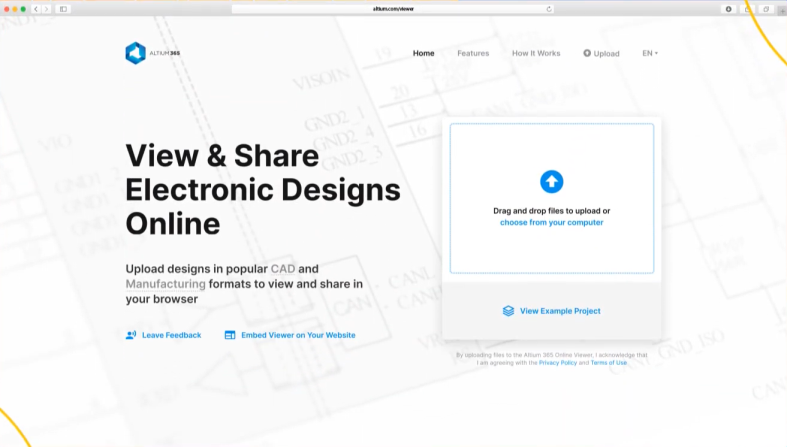
Altium's former online viewing tool. At the time of writing, the link was not accessible normally. When it works, the rendering quality is excellent — it supports not just Gerber but also Altium schematics and PCB files, 2D/3D/BOM previews, element property inspection, and measurement. Also supports embedding in other web pages. Files need to be uploaded to Altium's servers for parsing.
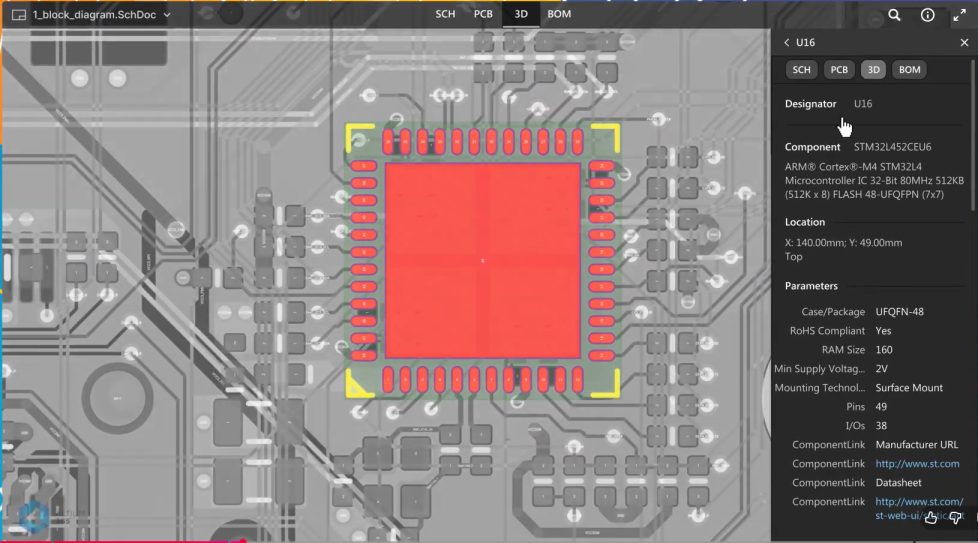
Verdict: Was a good option at one point, but it's unclear whether it's still maintained. If you have legacy Altium files to review, it might still work. For new files and general use, not worth the trouble.
| Dimension | Rating |
|---|---|
| UI | ★★★☆☆ |
| Operation | ★★☆☆☆ |
| Zoom/Pan | ★★★★☆ |
| Ease of Use | ★★★☆☆ |
| Load Speed | ★★☆☆☆ |
| File Handling | Upload to server |
| Login | No |
| Free | Yes |
| Features | ★★★☆☆ |
Comparison Table
| Tool | UI | Ops/Ease | Performance | File Handling | Login | Free | Features | Score |
|---|---|---|---|---|---|---|---|---|
| online-gerber-viewer.com | ★★★★ | ★★★★★ | ★★★★★ | Local | No | Free | ★★★★ | 4.7 |
| aiema.com | ★★★★ | ★★★★ | ★★★★ | Upload | Limited | Free | ★★★ | 3.5 |
| gerber.tools | ★★★ | ★★★★ | ★★★ | Upload | No | Free | ★★★ | 3.5 |
| gerbtrace.com | ★★★★ | ★★★★ | ★★★★ | Upload | Yes | Free | ★★★★ | 3.4 |
| onlinegerberviewer.com | ★★ | ★★★ | ★★★★ | Upload | No | Free | ★★ | 3.2 |
| tracespace.io | ★★★ | ★★★★ | ★★★★ | Upload | No | Free | ★★ | 3.5 |
| salitronic.com | ★★ | ★★ | ★★★ | Upload | No | Free | ★★★★ | 3.2 |
| jlcdfm.com | ★★★★ | ★★★ | ★★★★★ | Upload | Yes | Free | ★★★★ | 3.4 |
| nextpcb.com | ★★★★ | ★★★★ | ★★★★ | Upload | Yes | Free | ★★★★ | 3.4 |
| ucamco.com | ★★★ | ★★★ | ★★★ | Upload | No | Free | ★★★★ | 3.4 |
| gerber-viewer.com | ★ | ★★ | ★★ | Upload | Yes | Free | ★★ | 2.1 |
| altium.com/viewer | ★★★ | ★★★ | ★★★ | Upload | No | Free | ★★★ | 3.4 |
Score is the average of 7 merged dimensions (out of 5.0). Ops/Ease = average of Operation & Ease of Use. Performance = average of Zoom/Pan & Load Speed. File Handling: Local=5pts, Upload=2pts. Login: No=5pts, Required=1pt, Limited=3pts.
Summary
The comparison shows that these tools differ significantly. No single tool is absolutely "best" — it depends on what you need:
- online-gerber-viewer.com — Performance-first, no upload. The only purely local processing option, leading in load speed, operation smoothness, and feature set.
- aiema.com — Need 3D preview? Its 3D viewer is worth trying, though registration limits some features.
- jlcdfm.com — DFM check before ordering. Most comprehensive checks — essential if you use JLCPCB.
- salitronic.com — Heavy data analysis. Offers the richest analytical dimensions for process engineers.
- ucamco.com — Maximum format compatibility. From the standard-setter, the most reliable parser.
- Login-free tools (online-gerber-viewer.com, gerber.tools, onlinegerberviewer.com, tracespace.io, ucamco.com) are clearly the more convenient choice.
Pick the one that fits your workflow best. Tools should serve your work — spend less time opening files and more time on the design itself.
Author: pcbtool.net | Date: 2026-08-14